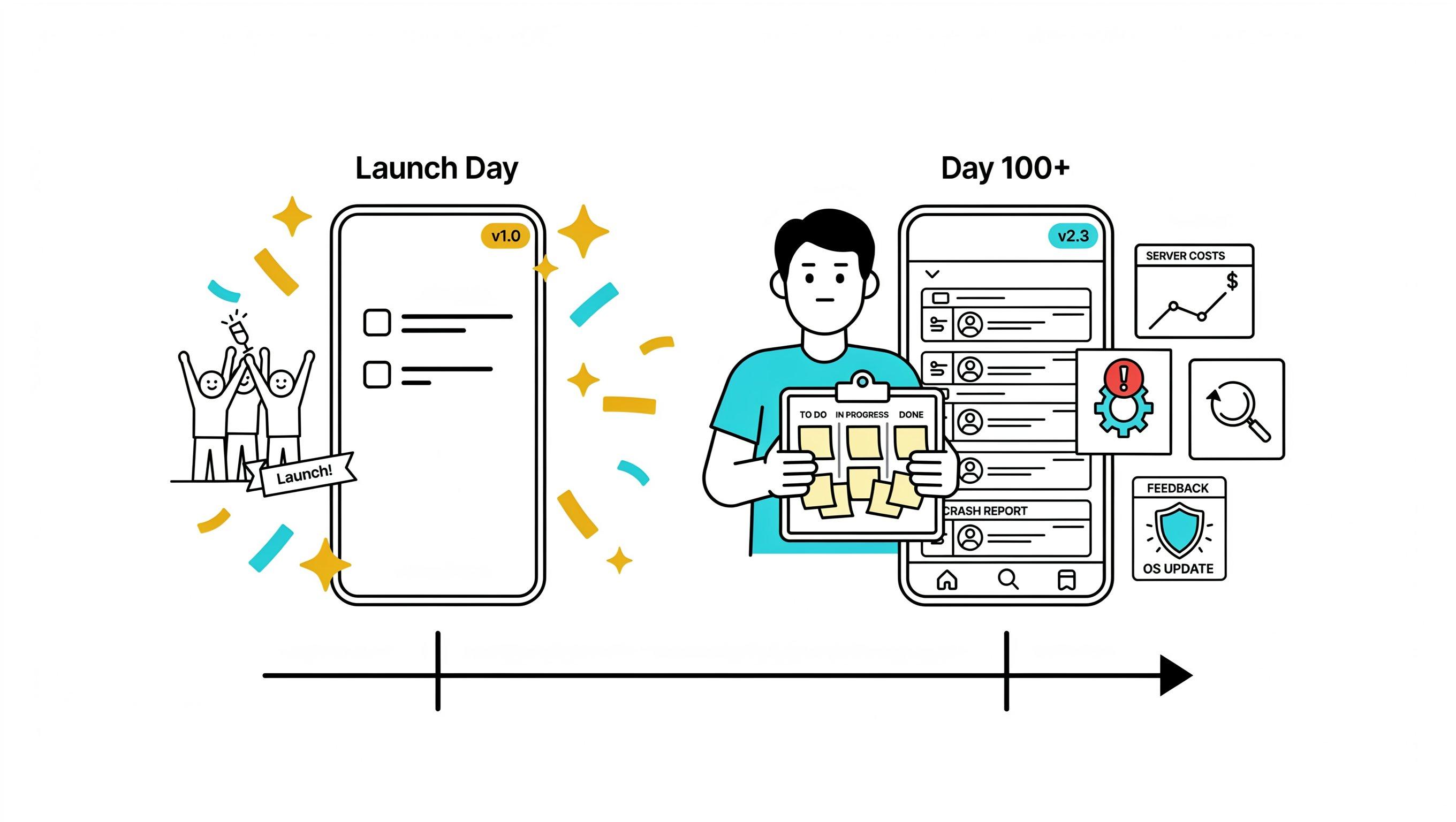
Launching an app feels like the finish line. The store listing is live, the first users are downloading it, and the team celebrates. But launch is closer to opening a shop than finishing a building. The doors are open, and now someone has to keep the lights on, fix what breaks, and adapt as the neighborhood changes.
That ongoing work is app maintenance, and it is one of the most underestimated parts of owning an app. This guide explains what it includes, why it is not optional, what the first 30 days after launch should look like, and what to ask before you agree to a support plan. It is written for founders and business owners, not developers.
Quick summary: apps need regular updates because iOS, Android, the app stores, and the services your app relies on all keep changing. Plan for maintenance from day one, own your accounts, and get the scope and response times in writing.
TL;DR
- Maintenance keeps a launched app working, secure, and accepted by the app stores. It is not the same as building new features.
- Both stores enforce minimum technical requirements, so an unmaintained app eventually cannot be updated at all.
- Maintenance has four parts: fixing bugs, adapting to new platforms, improving what exists, and preventing problems early.
- The first 30 days after launch matter most. Watch crashes and user feedback before planning big new features.
- Own your Apple and Google developer accounts, hosting, and source code, whoever maintains the app.
What Happens in the First 30 Days After Launch
Real users behave differently from testers. They have older phones, patchy connections, unusual settings, and they tap things in an order nobody planned. Expect problems to appear in the first weeks, and plan for them.
Week 1: Watch closely
- Check crash reports daily and fix anything affecting many users.
- Read store reviews and support messages every day, since early reviews shape how the app is judged.
- Confirm sign-up, payments, notifications, and other key flows work in the real world and not only in testing.
Weeks 2 and 3: Fix and stabilize
- Release a first round of fixes for the issues real users found.
- Check performance on older and cheaper phones, which are often the majority of your audience.
- Look at where users drop off, such as sign-up, onboarding or checkout.
Week 4: Decide what comes next
- Group feedback into must-fix issues, small improvements, and bigger ideas for later.
- Set a regular release rhythm, such as a small update every few weeks.
- Review the maintenance plan now that you know how the app behaves in the wild.
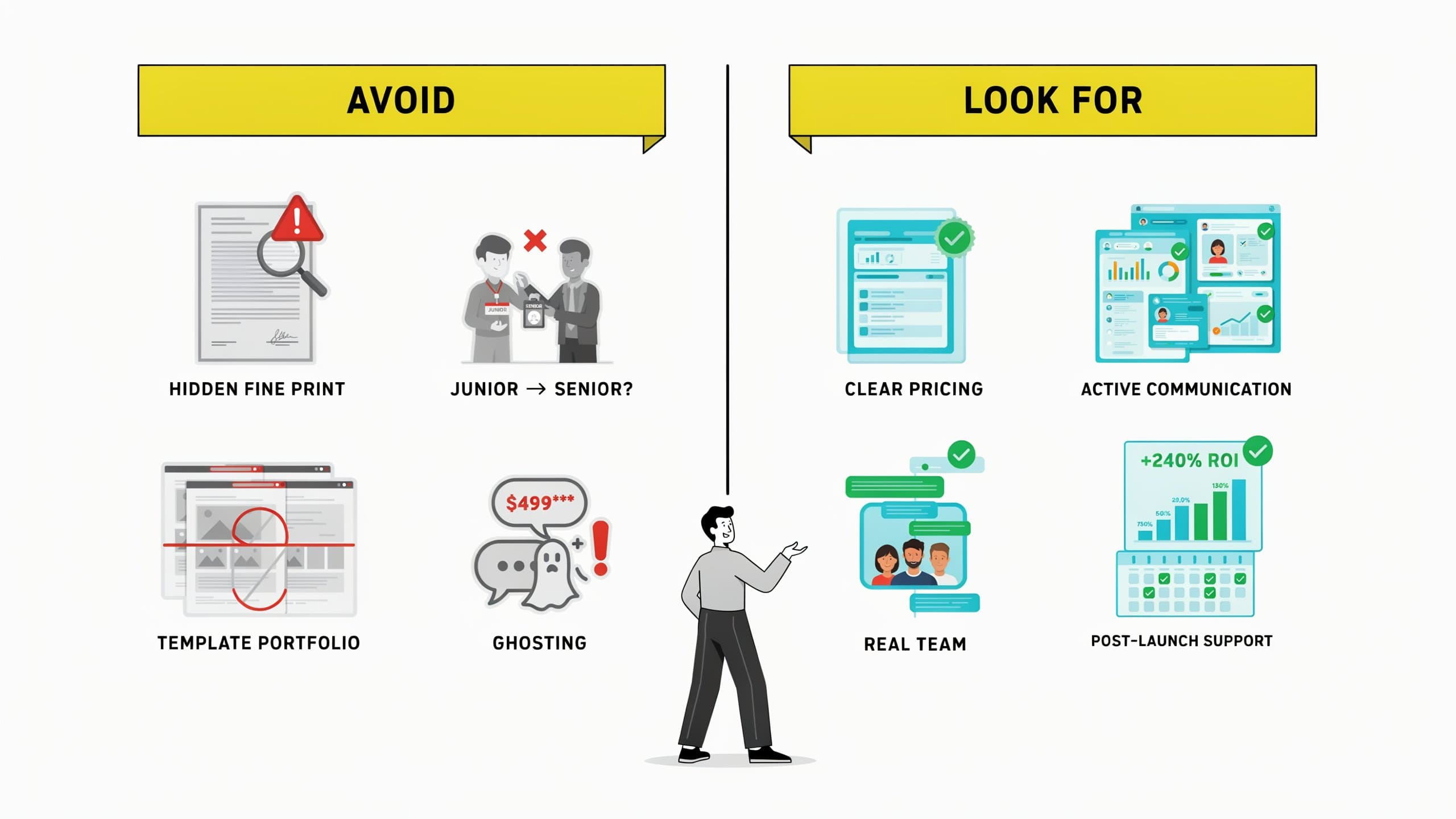
If you are still choosing who will build your app, our guide to how to choose an app development company covers what to ask about post-launch support before you sign.
What App Maintenance Actually Is
App maintenance is the routine work that keeps a launched app functioning, compatible, and secure. It covers the mobile app itself and everything behind it: the servers, databases, APIs, and third-party services. It is separate from building new features, redesigns, or marketing. Those are growth projects. Maintenance is what keeps the foundation healthy while you do them.
Why Apps Need Ongoing Care
New operating systems arrive every year
Apple and Google release major OS versions annually. Each one can change how permissions, notifications, background activity, privacy prompts, and screen layouts behave. An app that worked perfectly last year can show glitches on a newly updated phone, often within days of the update reaching users.
The app stores set minimum requirements
This is the part many owners do not expect. Both stores require apps to stay reasonably current:
- Google Play requires new apps and app updates to target an Android API level within one year of the latest major Android release. If an update does not meet this, Google Play blocks the submission. At the time of writing, the target for most apps is Android 16 (API level 36) for submissions from August 31, 2026. See Google's target API level requirement page for the current rules.
- Apple requires apps uploaded to App Store Connect to be built with a recent Xcode and SDK. Since April 28, 2026, iOS and iPadOS apps have needed Xcode 26 or later with the iOS 26 SDK. Apple lists these on its Upcoming Requirements page.
The practical result: an app that is left alone for a year or two may become impossible to update without a larger piece of rework, because the code needs to catch up to what the store now demands.
Libraries and services change
Your app relies on third-party code and services: payment providers, maps, notifications, analytics, login systems, and open-source libraries. These release security patches, change their rules, and retire old versions. If nobody updates your app, it ends up depending on code that is no longer supported.
Your backend needs care too
Behind most apps is a server and database. Certificates expire, storage fills up, and usage grows. A slow or unavailable backend looks to users like a broken app, even when the app itself is fine.
Devices and users keep changing
New phone models, screen sizes, and accessibility settings arrive constantly. Your users also change what they expect, so an app that feels dated starts to lose attention to competitors.
The Four Types of App Maintenance
It helps to know what you are paying for. Maintenance work generally falls into four groups.
1. Corrective: fixing what is broken
Crashes, login failures, payment errors, and screens that do not load. This is the most visible work and often the most urgent.
2. Adaptive: keeping up with the platform
Updating the app for new iOS and Android versions, meeting new store requirements, and replacing libraries or services that have changed or been retired. Users rarely notice this work, but without it the app eventually stops working or cannot be published.
3. Perfective: improving what exists
Speed improvements, small usability changes, and refinements based on user feedback. This is how an app gets steadily better without a full redesign.
4. Preventive: stopping problems before users see them
Monitoring, code cleanup, dependency updates, and security reviews. This is the least glamorous work and usually the cheapest way to avoid an emergency.
What a Good Maintenance Plan Includes
Plans differ, but a solid one usually covers the following. Use it as a checklist when you compare providers.
1. Crash and error monitoring
Tools that report crashes and errors as they happen, so problems are found in hours and not weeks. Common options include Firebase Crashlytics and Sentry. Ask which tool is used and who watches the reports.
2. Bug fixes
Fixing issues found by monitoring, support requests, or reviews, with an agreed response time for urgent problems.
3. OS and store compliance updates
Updating the app for new iOS and Android versions and for changed store requirements, then testing and publishing the new version.
4. Dependency and security updates
Keeping libraries, SDKs, and third-party services current, and patching known security problems.
5. Backend and hosting care
Monitoring servers and databases, managing backups, renewing certificates, and keeping an eye on usage and performance.
6. Performance checks
Reviewing app speed, startup time, battery use, and behavior on older devices. Google Play Console and App Store Connect both provide quality and performance data that a maintainer should be reading.
7. Releases and store management
Preparing builds, testing them (Apple's TestFlight and Google Play's testing tracks are the usual routes), submitting updates for review, and handling store rejections.
8. Small improvements
Many plans include a set number of hours each month for minor changes. Know exactly how many hours, and what counts as small.
9. Reporting
A short, readable summary of what was done, what was found, and what needs attention. You should never have to guess whether work is happening.
What Maintenance Usually Does Not Include
Misunderstandings usually start here, so ask directly. These are typically separate:
- New features or major functionality
- Redesigns or new screens
- Building for a new platform, such as adding an Android version to an iOS-only app
- Marketing, app store optimization, and advertising
- Fixing problems caused by changes made by someone outside the maintenance team
- Recovering a long-neglected app, which may need a one-time update first
A good provider will explain how work outside the plan is quoted and approved.
Already have an app that has not been updated in a while? We'll look at it and tell you what needs attention first, even if the answer is "not much." Ask for a quick review.
Do You Need a Maintenance Plan?
Almost every app that real people use needs some form of ongoing care. The question is how much and who provides it.
Signs you can start light
- The app is small, with few screens and no user accounts
- It depends on very few third-party services
- It is an internal or short-lived tool, not a core part of your business
- You are comfortable with a pay-as-needed approach and can tolerate some delay if something breaks
Signs you need a proper plan
- The app takes payments, bookings, or handles customer data
- It has user accounts, notifications, maps, chat, or other third-party integrations
- It has a backend, admin panel, or database that has to stay up
- Customers or staff rely on it daily, so downtime costs you money or trust
- No one on your team can update and publish a new version
- Your user numbers are growing
What a Good Handover Looks Like
When the build team finishes, you should own what matters. A complete handover includes:
- Developer accounts in your name. The Apple Developer account and Google Play Console should belong to your business, with the agency added as a team member, never the reverse.
- Source code. The full code repository, transferred or shared with you.
- Backend and hosting access. Cloud accounts, databases, domains, and API keys, registered to you.
- Documentation. How the app is structured, how to build and publish a release, and how the backend works.
- A list of third-party services. With costs, owners, and renewal dates.
- Release instructions. Written steps for building, testing, and submitting an update.
- Monitoring set up and shared. Crash reporting and analytics dashboards you can open yourself.
If any of these are treated as paid extras, find out before you sign.
Maintenance Varies by How the App Is Built
| Approach | What needs regular attention | Main risk if neglected |
|---|---|---|
| Native apps (separate iOS and Android code) | Two codebases to update for each OS release, plus store submissions on both platforms | One platform falls behind the other, or one team maintains only half the app |
| Cross-platform apps (for example React Native or Flutter) | The framework and its libraries, plus the native layers each OS release touches | Framework or library versions fall too far behind, making later upgrades larger and riskier |
| No-code or app-builder apps | The builder platform handles much of the technical updating, so you mainly manage content, settings, and the plan you are on | Limited control if the platform changes pricing or features, and exporting your app may be hard |
Whatever the approach, the backend and third-party services need care too. If you are still planning the build, see what a mobile app costs in India for what drives the project cost, and remember that the build is only part of the total cost of owning an app.
Tools That Help You Keep an Eye on Things
You do not need to be technical to see how your app is doing. These are widely used:
- Google Play Console shows crash rates, performance data, reviews, and policy messages for your Android app.
- App Store Connect shows downloads, crashes, reviews, and review status for your iOS app.
- Firebase Crashlytics or Sentry reports crashes and errors with details developers can act on.
- Analytics, such as Google Analytics for Firebase, shows where users drop off.
- An uptime monitor for your backend, such as UptimeRobot, alerts you when your server goes down. Free plans exist, so check current limits.
These tools give you visibility. They do not replace someone who can fix what they find.
Do these seven things this week
- Confirm the Apple Developer and Google Play accounts are in your business's name, with you as owner.
- Check that crash reporting is set up, and ask who reads it.
- Read your last twenty store reviews and note the repeated complaints.
- Find out which iOS and Android versions your app currently supports and targets.
- List every third-party service the app uses, with its cost and renewal date.
- Check that backups of your database exist and have been tested.
- Ask for the steps to publish a new version, and confirm someone can follow them.
A Simple Maintenance Calendar
- Continuous: crash monitoring and backend uptime checks
- Weekly: review crashes, reviews, and support requests
- Every few weeks: a small release with fixes and minor improvements
- Monthly: performance and security review, dependency updates, and a short report
- Each major OS release: test on the new iOS and Android versions as soon as betas are available, then update if needed
- Yearly: check store requirements, renew accounts and certificates, test a backup restore, and review whether the app still meets your goals
Three Common Levels of Support
Providers package support differently, but most plans fall into three levels. We don't list prices here because they depend on your app, but the differences in scope are consistent.
Essential
Crash monitoring, bug fixes, and compliance updates for new OS versions and store requirements. This suits small apps with a simple backend.
Standard
Everything in Essential, plus backend and hosting care, regular dependency and security updates, a monthly allowance for small improvements, and a monthly report. This suits most business apps.
Managed
Everything in Standard, plus priority support, faster response times, and ongoing improvements based on analytics and user feedback. This suits apps that are central to revenue or operations.
What Affects the Cost
- The number of platforms, and whether the app is native or cross-platform
- How complex the backend is, and how many users it serves
- The number of third-party integrations, such as payments, maps, and chat
- How quickly you need a response when something breaks
- Whether the plan covers improvements as well as upkeep
- The condition of the app today, since a neglected app often needs a one-time catch-up first
Compare what is included and how fast issues are handled, not only the monthly figure. A cheap plan with no monitoring will cost you more the first time something breaks quietly.
Questions to Ask Before You Sign
- What exactly is included, and what is billed separately?
- How quickly do you respond to normal requests and to an urgent problem, such as the app crashing for everyone?
- Who watches crash reports, and with which tools?
- Will you test and update the app for each new iOS and Android release, and is that included?
- Who owns the Apple and Google developer accounts, the code, and the hosting?
- How are backups handled, and have you tested restoring one?
- How many hours of small changes are included each month, and what happens if I need more?
- What will I receive as a report, and how often?
- What is the contract length, and how do we part if it is not working?
Red Flags
- A vague scope such as "we will take care of everything"
- No stated response times
- The provider keeps control of your developer accounts, code, or hosting
- No crash monitoring or reporting
- No mention of OS updates or store requirements
- The team that built the app will not be available after launch, and nobody else understands the code
- A long lock-in contract with no clear exit
- Pressure to choose the largest plan before anyone has looked at the app
What We Recommend
Plan for maintenance before you launch, not after the first crash. Decide who is responsible, make sure you own your store accounts, code, and hosting, and set up crash monitoring from day one. Use the first 30 days to learn how the app behaves with real users, then settle into a regular release rhythm. A small amount of steady care costs far less than catching up on a neglected app.
IXT Minds builds mobile apps, websites, and AI products from our office in Gomti Nagar, Lucknow, for clients in India, the UAE, and Canada, and we stay on after launch to support what we build. If you have an app that needs ongoing care, or you are about to launch one, see how we build and support mobile apps or talk to us.
Related read: Websites need the same ongoing care. See Website Maintenance 101 for what it includes and what to ask.
Sources
- Google, Meet Google Play's target API level requirement
- Google Play Console Help, Google Play's Target API Level Policy
- Apple Developer, Upcoming Requirements